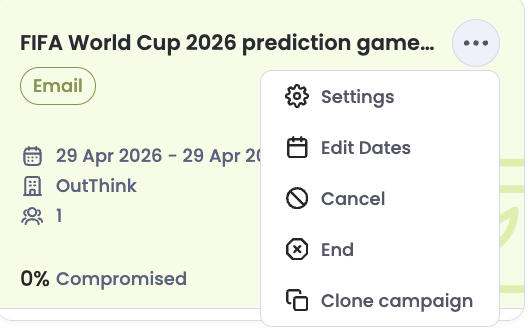
OutThink now provides greater control over active campaigns, giving you the ability to cancel or manually end campaigns whenever needed. This ensures you can respond quickly to changes, errors, or shifting priorities without unintended impact on users.
The new Cancel Campaign functionality performs a full rollback, leaving no residual data in the platform. Any pending communications are immediately stopped, and the campaign is fully removed as if it never ran. This is ideal if a campaign needs to be withdrawn due to configuration issues or launched in error.
In addition, you can now manually end an active campaign once it has served its purpose. Ending a campaign stops further activity while preserving the data generated up to that point, allowing you to review results without continuing delivery. Together, these enhancements give you clearer control, cleaner outcomes, and greater confidence when managing campaigns.
To cancel or end a campaign, click on the ellipsis menu on the campaign overview dashboard: