OutThink’s Real-Time Threats capability delivers powerful, immediate protection by enabling organizations to detect, understand, and respond to phishing and social‑engineering attacks as they unfold. Reported emails are given a phishing likelihood (PL) index score, using integrations with Criminal IP, VirusTotal, and Spamhaus to indicate the threat level.
By leveraging AI‑powered, adaptive phishing simulations that mirror real attacker behaviors which are targeting your organization, OutThink helps employees build resilience against live threats while giving security teams continuous, actionable insight into user behavior and risk exposure. The platform analyzes why users fall for attacks and automatically delivers tailored follow‑up training, ensuring that learning is targeted, timely, and effective. This real‑time, behavior‑driven approach not only reduces human‑initiated security incidents but also strengthens an organization’s overall cyber posture by keeping users engaged, aware, and prepared for emerging attack techniques.
How does it work?
This feature is accessible via a “Real Time Threats” tab in the Command Center. Here you can:
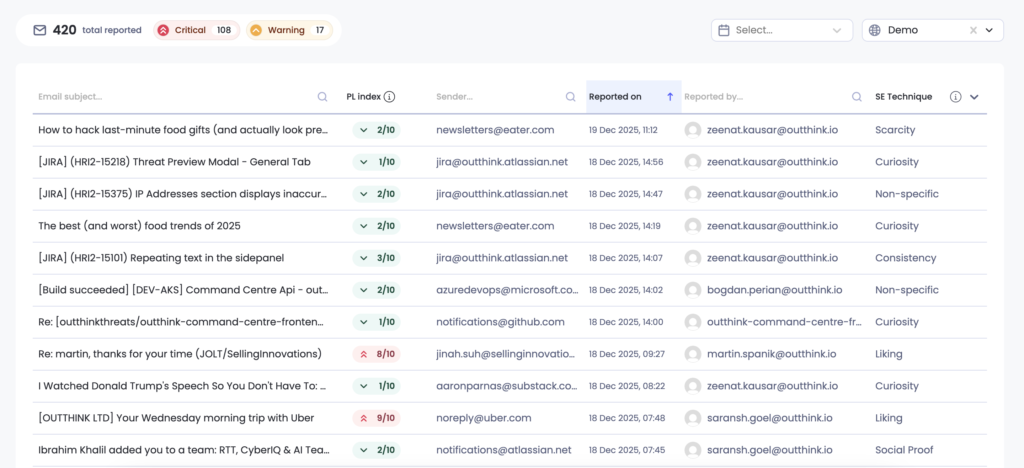
- View a centralized feed of all reported emails.
- See key details for each reported email, including:
- Subject
- Phishing likelihood
- Sender email address
- Reported by (user)
- Reported date
- Social engineering technique
- Click any email in the feed to inspect detailed information about the report.
- Create an Awareness Nudge using a snapshot of the reported email and send it immediately to users.
- Use the reported email inside the Simulation studio to further customize and save as a email simulation asset.
- Translate the emails or Nudge into multiple languages.
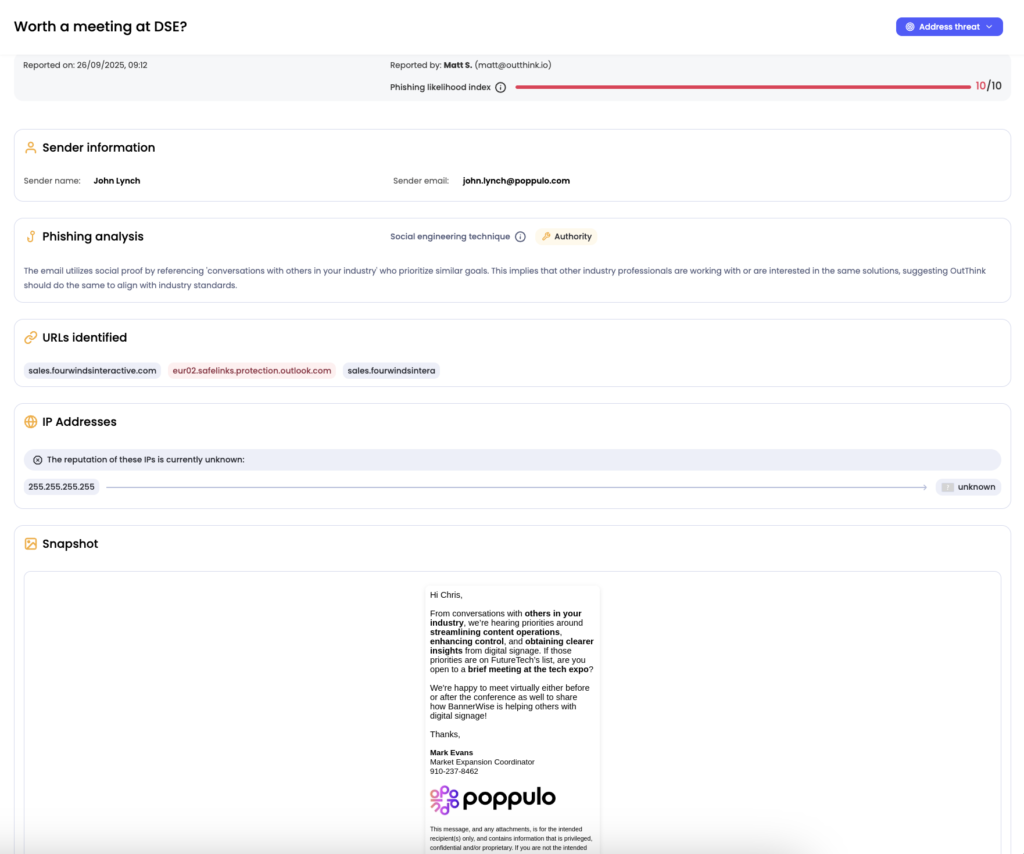
When a user clicks on a record in the Real-Time Threats feed, they will see the complete metadata related to the reported threat, with information provided on an AI generated phish analysis, the URLs contained in the email and their health as indicated by sources such as VirusTotal, and the reputation of the IP address from which the email was sent.
If an admin wishes to educate the user on the threat, there is the option to send a Nudge or phishing simulation which replicates the original email using the Address threat button. AI generates the required Nudge of phishing simulation template, which can then further be edited manually if required.
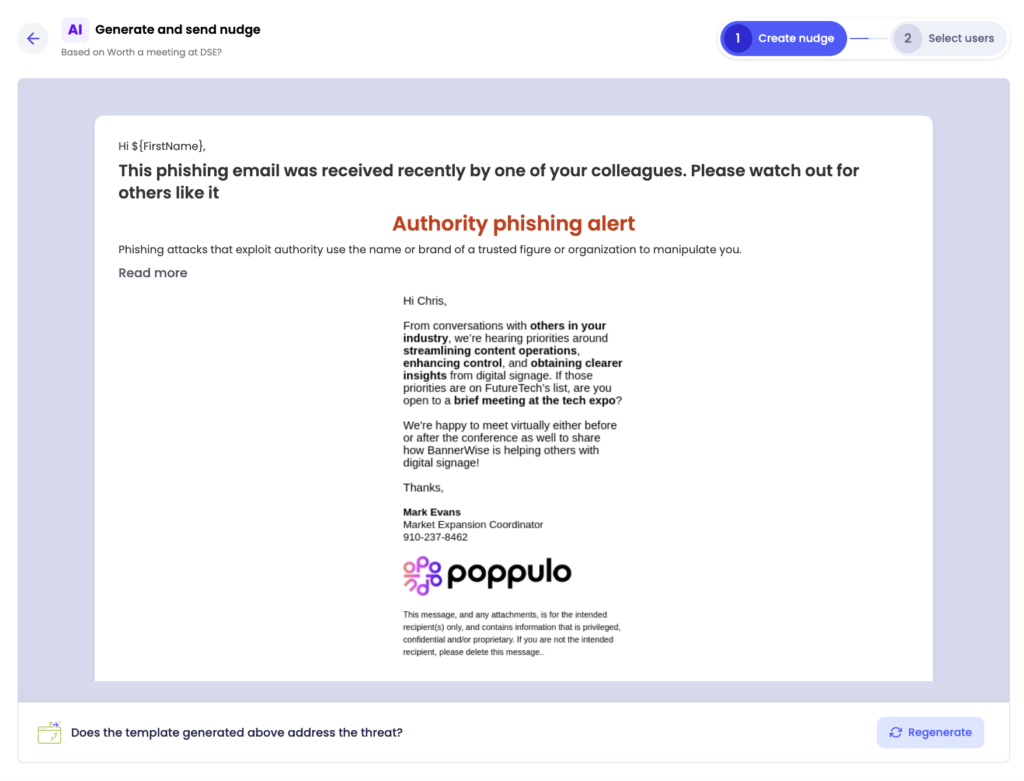
A Nudge campaign can be immediately launched by clicking the Next button, and a phishing template can be saved to use in the usual phishing campaign creation workflow.
How to enable it?
- Real-Time Threats begins ingesting reported emails from most phishing reporting capabilities, provided the reported email can be forwarded to a dedicated inbox based on a transport rule or similar setup. For example, you can use the Outlook native reporting button or set up alternative reporting choices, as per your organization’s infrastructure. Please refer to the technical documentation for setup steps.
- Once the integration is complete, contact your Customer Success representative to activate this feature for your tenant.
- After activation, you will see a new “Real Time Threats” tab in the Command Center, giving you access to the threats feed.
- You can now start responding to threats and creating assets directly for your organization.
To activate this feature for your organization, please contact your Customer Success Manager representative.