Autonomous Phishing introduces a new operating model for simulation delivery: continuous, intelligent, and low‑lift. Instead of building individual campaigns, teams can now set the experience once and allow the platform to deliver simulations on an ongoing basis, aligned with organizational needs and individualized past employee performance. Difficulty levels for simulations are automatically assigned, ensuring each user receives simulations calibrated to their behavior, resilience, and historical performance without requiring manual tuning. This creates a predictable, scalable workflow where simulations keep running on autopilot – with no manual campaign configuration – while ensuring that programs remain fresh, relevant, and consistent to orgnizational policies.
How to launch automated phishing
Firstly, click on the Actions button to bring up the Continuous Deliveries view.
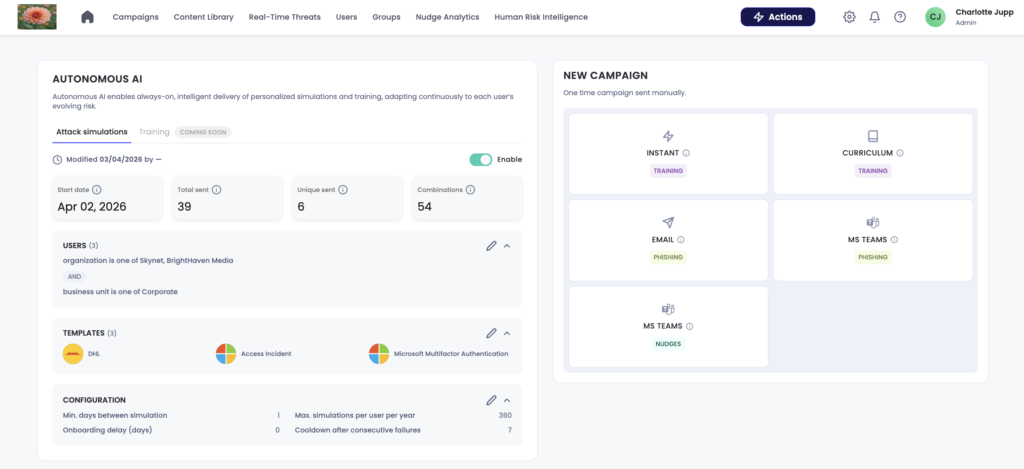
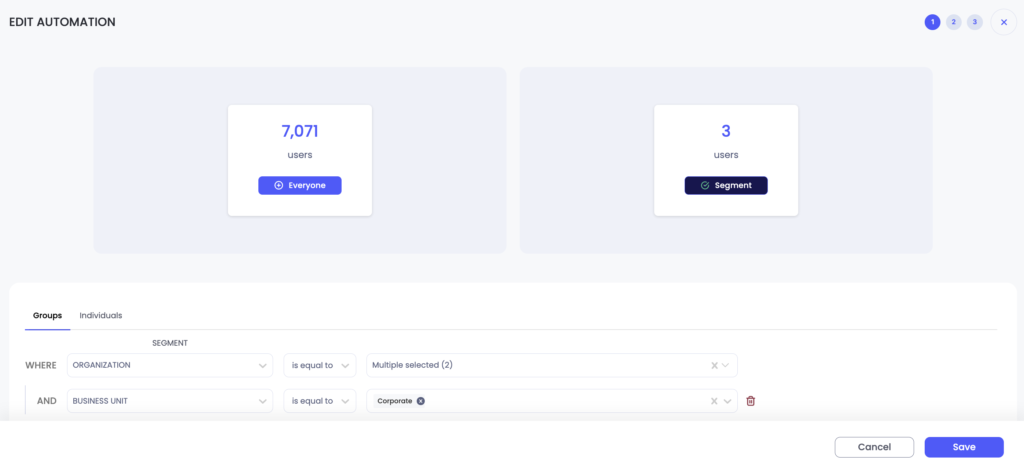
Select the pen icon next to the Users section to choose your user scope for the autonomous phishing.
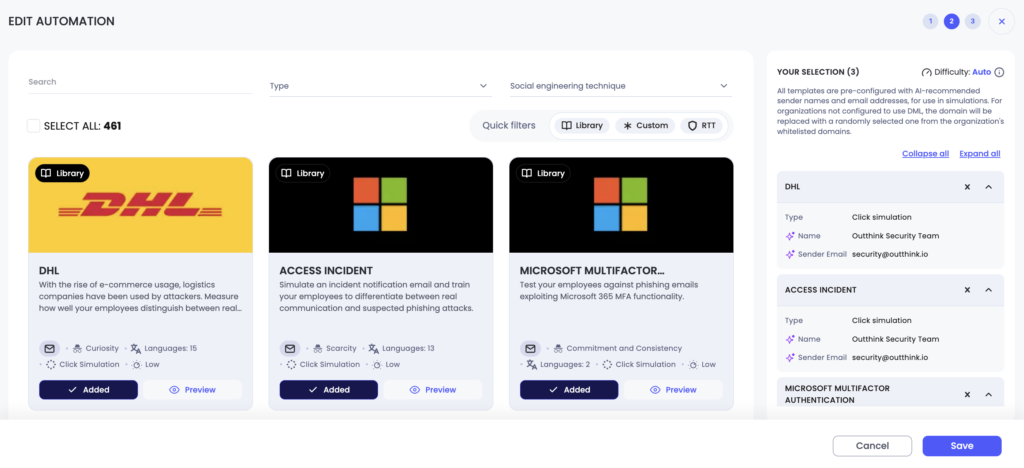
Next, select the pen icon next to the Templates section to access the Template Selection screen to choose the simulations to be delivered. Different simulation types can be selected together, and templates can be added or removed in bulk, making it easy to manage campaigns at scale.
Finally, set the logic that your phishing automation will follow on the Logic Screen.
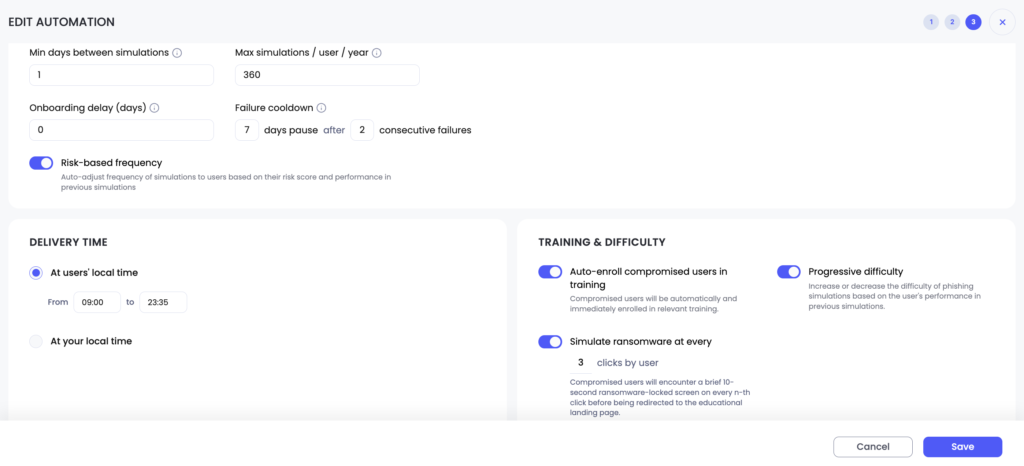
The following settings are available:
- Min days between simulations is the minimal interval an admin wants to leave between the same user receiving two simulations.
- Max simulations / user / year is the maximum number of simulations an admin wants a user to receive in a 365-day window.
- Onboarding delay (days) is the number of days an admin wishes to wait before a new joiner is sent their first phishing template.
- Failure cooldown allows an admin to define how many days a repeatedly compromised user is allowed a break before receiving another phishing simulation. The admin can define the number of days and the number of failures.
- Toggling on risk-based frequency means that users who are compromised in simulations will be sent further simulations more frequently until their susceptibility declines.
- Delivery time enables the admin to set the time window in which employees will receive a phishing simulation.
- Toggling on auto-enrol compromised users in training ensures compromised users receive follow-up phishing modules via a training campaign.
- Progressive difficulty increases or decreases the difficulty of phishing simulations based on each user’s performance in previous simulations.
- Simulate ransomware will show compromised users the brief 10-second ransomware-locked screen on every n-th click before being redirected to the educational landing page.